
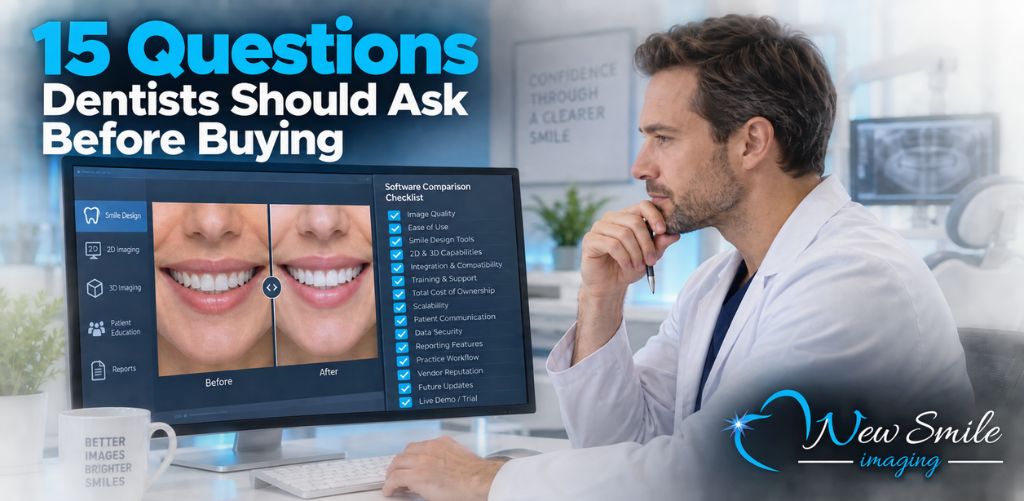
Choosing dental imaging software requires more than comparing feature lists or watching a polished sales presentation. The right platform must solve a specific problem, fit into your existing workflow, remain easy enough for your team to use consistently, and provide value that justifies its total cost.
Before comparing products, determine whether your practice needs diagnostic imaging, image management, cosmetic smile simulation, or a combination of these capabilities. These categories may all involve dental images, but they serve very different purposes.
Diagnostic imaging software supports clinical evaluation using X-rays, CBCT scans, intraoral images, and other records. Cosmetic dental imaging software helps patients visualize potential aesthetic changes involving veneers, whitening, missing-tooth replacement, implants, and smile makeovers.
Some dental practices need both.
Use this 15-question dental imaging software comparison checklist to evaluate each option based on how your practice will actually use it.
1. What Problem Do We Need the Software to Solve?
Start by defining the primary objective.
Is your practice trying to:
- Capture and review digital X-rays?
- Organize clinical images?
- Analyze CBCT or 3D scans?
- Integrate images with patient records?
- Create cosmetic smile simulations?
- Improve how treatment possibilities are presented to patients?
- Give patients a visual they can review after the consultation?
A platform can be excellent at one of these tasks while offering little value for another. The best dental imaging software is not necessarily the product with the longest feature list. It is the product designed to solve the problem your practice actually has.
For example, a cosmetic practice that already has radiographic software may not need to replace its diagnostic system. It may need a specialized smile simulation software for dentists that complements the existing clinical workflow.
2. Is the Software Designed for Diagnosis, Cosmetic Simulation, or Both?
This distinction should be clear before you compare vendors.
Diagnostic imaging software helps clinicians examine oral structures, review radiographs, evaluate anatomy, and support treatment planning. Cosmetic simulation software creates patient-facing visualizations of potential aesthetic changes.
One does not replace the other.
A cosmetic smile simulation does not replace an examination, X-rays, diagnosis, professional treatment planning, or informed consent. Likewise, a clinical X-ray does not necessarily help a patient visualize how their smile could appear after veneers or teeth whitening.
Ask each vendor to explain the software’s intended purpose. If your goal is to improve cosmetic consultations, evaluate the product as a communication and visualization tool rather than expecting it to replace diagnostic imaging.
3. How Long Does It Take to Create a Usable Image?
Speed affects whether the software becomes part of your normal workflow or sits unused.
A platform may produce an impressive result, but it may not be practical for routine consultations if every image requires 20 minutes of editing. Cosmetic visualization is often most useful while the patient is still engaged in the conversation.
During a demonstration, time the complete process:
- Import or open the patient photograph.
- Create the simulation.
- Review the result.
- Save, print, or appropriately share the image.
SNAP from New Smile Imaging is designed to create realistic cosmetic before-and-after simulations in less than one minute. That speed can make it practical to incorporate cosmetic visualization into regular consultations instead of reserving it only for unusually large cases.
4. Can Our Dental Team Learn to Use It?
Software provides little value if only one person in the practice understands it.
Ask whether dental assistants, treatment coordinators, practice managers, or other appropriately trained team members can learn the technical workflow. The dentist should remain responsible for examination, diagnosis, clinical recommendations, and treatment planning, but the dentist may not need to personally perform every step involved in creating a patient-facing simulation.
When evaluating usability, consider:
- How many steps are required?
- Is the interface intuitive?
- Does the software require advanced image-editing experience?
- How much training is necessary?
- Are tutorials available when new employees join?
- Can multiple team members use it consistently?
Have an actual team member operate the software during the demo. A product can appear effortless when demonstrated by someone who uses it every day. Letting a treatment coordinator or assistant try it provides a more realistic usability test.
5. Do the Simulations Look Realistic and Appropriate?
A cosmetic simulation should be believable enough to help the patient understand the aesthetic direction of treatment without appearing exaggerated or artificial.
Evaluate several examples. Look closely at:
- Tooth size and proportions
- Tooth shade
- Smile symmetry
- Gumline appearance
- The relationship between the teeth and lips
- Overall facial context
- Whether the proposed changes look natural
The goal is not to guarantee an exact clinical outcome. A simulation is a visualization and communication tool. Actual results depend on the patient’s oral health, anatomy, chosen treatment, materials, healing, compliance, and other clinical factors.
The software should allow the practice to create an appealing but responsible visual representation of what may be possible.
6. Which Cosmetic Treatments Can the Software Simulate?
Not every cosmetic imaging platform supports the same procedures.
Create a list of the services your practice presents most frequently and ask the vendor to demonstrate those specific use cases.
Depending on the software, simulations may include:
- Teeth whitening
- Porcelain veneers
- Cosmetic bonding
- Missing-tooth replacement
- Dental implants
- Bridges
- Changes to tooth shape or proportion
- Cosmetic periodontal changes
- Smile makeovers involving multiple treatments
SNAP can be used to illustrate veneers, whitening, replacement of missing teeth with bridges or implants, periodontal cosmetic procedures, and other aesthetic changes. Practices should still test the features most relevant to their own services before purchasing.
7. Will the Software Work With Our Existing Photography Setup?
Ask what type of image the software requires and whether your current equipment can produce it.
Important questions include:
- Can the software use photographs from our existing camera?
- Can we use a standard full-face patient photograph?
- Are special cameras, sensors, or scanners required?
- Does the vendor recommend a particular image size or format?
- Will we need new lighting or photography equipment?
- What computer specifications or operating systems are supported?
Additional hardware can significantly affect the true cost and complexity of implementation. A simple photography workflow may be easier to adopt than one requiring specialized equipment, but the right choice depends on your practice’s goals.
Test the software using the same type of photograph your team would capture during a normal patient visit.
8. How Will the Software Fit Into the Patient Consultation?
Features matter only when they support a repeatable workflow.
Map the software to a real patient visit. Determine:
- Who takes the photograph?
- Who creates the simulation?
- At what point is it presented?
- How does the dentist explain the treatment possibilities?
- Can the image be reviewed while the patient is still in the office?
- What happens after the consultation?
- How will the practice explain that the image is a simulation rather than a guaranteed result?
For cosmetic dentistry, the software should support the conversation instead of interrupting it.
A straightforward workflow might involve a trained team member taking a patient photograph, creating a simulation, and preparing it for the dentist or treatment coordinator to review with the patient. The dentist can then explain the clinical evaluation, appropriate treatment options, limitations, and next steps.
9. Can Patients Take the Simulation Home?
Elective dental decisions are not always made immediately. Patients may want time to consider treatment, review financing, or discuss the decision with a spouse or family member.
Ask whether the software allows your practice to save, print, or appropriately share the image according to your privacy policies and applicable requirements.
SNAP allows practices to create a Smile Evaluation Photo that patients can take home. This gives the patient a visual reference for the conversation instead of requiring them to remember a verbal description of how treatment might change their smile.
Patient-friendly output can help extend the consultation beyond the operatory, but practices should establish clear procedures for handling and sharing patient images.
10. How Are Patient Images Stored and Protected?
Any workflow involving patient information requires careful privacy and security review.
Do not assume that every platform handles images in the same way. Ask the vendor:
- Where are patient images stored?
- Are images saved locally, in the cloud, or both?
- Is data encrypted during storage and transmission?
- Who can access the images?
- Are user permissions available?
- Are activity logs maintained?
- Can images be permanently deleted when required?
- Does the vendor offer documentation addressing HIPAA-related responsibilities?
- Is a business associate agreement available or required for the intended use?
- What security responsibilities remain with the dental practice?
Your practice should review the proposed workflow with its privacy, security, legal, or compliance professionals when appropriate. A marketing statement should not replace a proper review of how patient information will be handled.
11. What Training and Technical Support Are Included?
A low software price can become less attractive if setup, training, or support requires additional fees.
Before buying, determine whether the purchase includes:
- Initial installation or setup
- Staff onboarding
- Written instructions
- Video tutorials
- Live training
- Telephone or email support
- Troubleshooting assistance
- Software updates
- Access to future training materials
Also ask how quickly support requests are normally handled and whether assistance is available during your practice’s operating hours.
New Smile Imaging provides short video tutorials designed to help dental team members learn SNAP. Your team can also review experiences shared by dental professionals and practice staff to understand how other offices have incorporated the software into cosmetic consultations.
12. How Is the Software Licensed?
The advertised price may apply to one user, computer, provider, location, or practice. Never assume the licensing structure.
Ask:
- Is the price per user or per seat?
- Can the license be transferred to another computer?
- Does each provider need a separate license?
- Can multiple team members use the same licensed workstation?
- Is separate licensing required for each location?
- Are monthly, annual, and lifetime options available?
- What happens if the practice adds another dentist or office?
- Does the practice retain access if a subscription ends?
The answers can make a significant difference for group practices and organizations with multiple locations.
13. What Is the Total Cost of Ownership?
The monthly price is only one component of the total investment.
Include all potential expenses:
- Subscription or license fee
- Setup charges
- Training fees
- Additional users or seats
- Hardware
- Cameras or accessories
- Software upgrades
- Technical support
- Storage
- Integrations
- Renewal increases
- Cancellation fees
SNAP currently publishes three single-seat options: $99 per month, $999 per year, or $2,995 for a lifetime license. Because pricing and included services can change, verify the latest SNAP pricing options before purchasing.
For a more detailed cost analysis, read How Much Does Dental Imaging Software Cost?.
14. How Will We Measure Whether the Software Is Producing Value?
Define success before implementation.
Useful metrics may include:
- Number of simulations created
- Percentage of cosmetic consultations using a simulation
- Time required to produce each image
- Number of follow-up consultations
- Treatment acceptance after a simulation
- Accepted cosmetic treatment value
- Additional cosmetic cases scheduled
- Software cost per simulation
- Software cost per accepted case
- Staff utilization
Track results over a reasonable period and compare them with your previous consultation process. This allows your practice to evaluate the software based on actual performance rather than assumptions.
The software should also provide nonfinancial value. Consider whether patients understand treatment possibilities more clearly, whether team members can explain aesthetic objectives more effectively, and whether consultations feel more engaging.
15. Can We Test the Software Before Buying?
A free demo is one of the most useful parts of any dental software comparison.
Do not limit the evaluation to watching a vendor presentation. Use the demo to recreate the workflow your team would follow with a patient.
During the test:
- Use a realistic patient-style photograph.
- Ask a team member to create the simulation.
- Time the entire process.
- Evaluate the realism of the result.
- Test the treatments your practice commonly discusses.
- Review how the image can be saved, printed, or shared.
- Ask what features are included in the demo.
- Identify any hardware or training requirements.
- Calculate the complete cost for your practice.
- Gather feedback from the people who will use the software.
New Smile Imaging offers a free SNAP dental imaging software demo so dentists and their teams can evaluate the workflow before selecting a license. The demo includes a fully functional whitening simulation feature, allowing the practice to test how quickly a cosmetic preview can be created.
How Should Dentists Compare Dental Imaging Software?
The most effective comparison begins with the practice’s objective.
If you need diagnostic imaging, prioritize image quality, sensor and hardware compatibility, clinical analysis, integrations, security, and record management.
If you need CBCT or 3D treatment planning, focus on anatomical visualization, implant-planning capabilities, hardware requirements, and compatibility with your clinical workflow.
If your priority is cosmetic case presentation, focus on simulation quality, speed, ease of use, staff accessibility, supported treatments, patient-friendly output, and cost.
Your practice may obtain better results from complementary systems rather than expecting one platform to perform every imaging function. Diagnostic imaging can support the clinical decision, while cosmetic simulation supports the patient conversation.
You can also review the broader guide to choosing dental imaging software for cosmetic dentistry for a closer look at the different software categories.
Frequently Asked Questions About Comparing Dental Imaging Software
What is the most important feature in dental imaging software?
The most important feature depends on the problem the practice needs to solve. Diagnostic practices may prioritize hardware compatibility and clinical image quality. Cosmetic practices may place greater importance on realistic simulations, speed, ease of use, and patient-friendly presentation.
Is cosmetic dental imaging software the same as digital X-ray software?
No. Digital X-ray software supports clinical imaging and diagnosis. Cosmetic dental imaging software creates visual simulations of possible aesthetic changes. Cosmetic simulation does not replace X-rays, examination, diagnosis, or treatment planning.
How fast should smile simulation software work?
For routine chairside use, a cosmetic simulation should be fast enough to create while the patient remains engaged in the consultation. SNAP is designed to produce a cosmetic before-and-after simulation in less than one minute.
Can dental assistants or treatment coordinators use imaging software?
That depends on the software, the practice’s policies, training, supervision, and any applicable requirements. A platform with a straightforward workflow may allow appropriately trained team members to handle the technical steps while the dentist remains responsible for clinical decisions and treatment recommendations.
How much does cosmetic dental imaging software cost?
Pricing varies by product, features, licensing structure, number of users, hardware requirements, and support. SNAP currently offers single-seat licenses for $99 per month, $999 per year, or $2,995 for lifetime use. Practices should confirm current pricing and included services before purchasing.
Should dentists choose subscription or lifetime software?
A subscription generally requires less upfront investment and may provide greater short-term flexibility. A lifetime license may offer better long-term value when the practice expects to use the software for several years. Compare total costs over three, five, and ten years before deciding.
Does smile simulation software guarantee treatment results?
No. A cosmetic simulation is a patient-communication and visualization tool. It should not be presented as a guaranteed clinical outcome. Actual results depend on the patient’s condition, treatment plan, materials, clinical care, healing, and other factors.
Compare SNAP With Your Own Workflow
The best dental imaging software is not the platform that looks most impressive during a sales presentation. It is the one your team can use efficiently, your patients can understand, and your practice can justify based on measurable value.
SNAP focuses specifically on cosmetic visualization. It helps dental teams create realistic before-and-after smile simulations in less than one minute for conversations involving whitening, veneers, missing teeth, implants, bridges, cosmetic periodontal changes, and other aesthetic treatments.
Download the free SNAP demo and have a member of your team complete the comparison checklist. Test the workflow, evaluate the simulation, calculate the full cost, and decide whether SNAP is the right cosmetic imaging solution for your dental practice.