
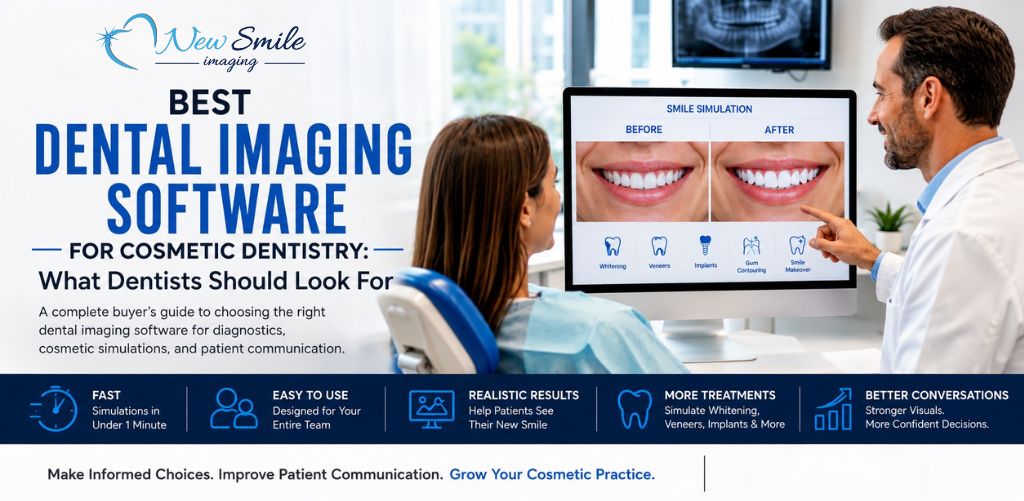
Choosing the best dental imaging software isn’t as simple as comparing feature lists.
A general dentist, cosmetic dentist, implant practice, orthodontist, and multi-location dental group may all use the phrase “dental imaging software” while looking for very different capabilities.
Some practices need software primarily to capture, store, and review digital X-rays. Others need CBCT or 3D imaging. Cosmetic practices may be more interested in showing patients a realistic visual simulation of how whitening, veneers, implants, or other aesthetic treatments could affect their smile.
And many practices need more than one type of imaging software.
The best dental imaging software for your practice therefore depends on the job you need it to perform.
For cosmetic dentistry in particular, dentists should evaluate speed, ease of use, quality of patient-facing simulations, staff usability, workflow fit, treatment versatility, and cost rather than choosing software simply because it has the longest list of technical imaging features.
This buyer’s guide explains what to look for and how to compare your options.
What Is Dental Imaging Software?
Dental imaging software is software used by dental professionals to capture, view, manage, analyze, enhance, store, or present images related to a patient’s teeth, smile, oral structures, or treatment.
That’s a broad definition because dental imaging covers several distinct purposes.
Depending on the platform, dental imaging software may work with:
- Digital X-rays
- Intraoral photographs
- Intraoral scanners
- Panoramic images
- CBCT and 3D scans
- Clinical photography
- Cosmetic smile simulations
- Treatment-planning images
- Patient education and case-presentation visuals
The important distinction is that not every dental imaging platform is designed to solve the same problem.
Diagnostic imaging software helps clinicians evaluate oral health and anatomy. Cosmetic imaging software helps patients visualize possible aesthetic changes. Practice-management platforms may incorporate imaging primarily as part of the patient record.
Before comparing products, determine what problem you actually want the software to solve.
What Types of Dental Imaging Software Exist?
Dental imaging software can generally be divided into several overlapping categories.
1. Digital X-Ray and Radiographic Imaging Software
These systems capture, organize, display, and sometimes analyze dental radiographs.
Depending on the product and hardware, that may include bitewings, periapical images, panoramic radiographs, and other diagnostic images.
For practices primarily concerned with diagnostics and clinical records, radiographic capabilities may be the most important consideration.
2. CBCT and 3D Dental Imaging Software
CBCT and other 3D platforms help dentists visualize anatomical structures in three dimensions.
These systems can be especially important in areas such as implant dentistry, oral surgery, orthodontics, endodontics, and complex treatment planning.
They solve a fundamentally different problem from cosmetic simulation.
3. Dental Image Management Software
Some platforms focus heavily on storing, organizing, retrieving, and sharing patient images.
Image management may also be incorporated into larger practice-management or cloud dental platforms.
Important considerations include compatibility with existing imaging devices, accessibility, data management, security, and integration with the practice’s existing systems.
4. AI-Assisted Dental Imaging Software
Artificial intelligence is increasingly being incorporated into dental imaging products to assist with tasks such as radiographic analysis, image interpretation, annotations, and clinical workflow.
These systems are primarily designed around clinical or diagnostic assistance rather than showing a patient a cosmetic preview.
5. Cosmetic Dental Imaging and Smile Simulation Software
Cosmetic dental imaging software creates visual simulations that help patients see how their smile could potentially appear after cosmetic treatment.
Instead of asking a patient to imagine what “whiter teeth,” “veneers,” or “replacing that missing tooth” might look like, the dental team can present a visual example.
This is the category where products such as SNAP cosmetic dentistry imaging software from New Smile Imaging are designed to operate.
The objective isn’t to replace diagnostic imaging. It’s to improve visual communication between the dental practice and the patient.
What Is Cosmetic Dental Imaging Software?
Cosmetic dental imaging software is a type of dental simulation software that modifies a patient’s photograph to create a visual representation of possible cosmetic changes.
A practice might photograph a patient’s current smile and create a simulated “before and after” image showing how the smile could look following treatment.
Potential applications include simulations involving:
- Teeth whitening
- Porcelain veneers
- Missing-tooth replacement
- Dental implants
- Bridges
- Gingival or periodontal cosmetic procedures
- Smile modifications
- Other appearance-oriented treatments
The resulting image should be treated as a visual communication and educational tool, not as a guarantee of a patient’s clinical outcome.
That distinction matters.
A simulation can help a patient understand the aesthetic objective of a proposed treatment, but actual outcomes depend on clinical conditions, treatment decisions, anatomy, materials, healing, patient compliance, and numerous other factors.
Do Dentists Need X-Ray Imaging or Cosmetic Simulation Software, or Both?
For many practices, the answer is both.
The two technologies serve different purposes.
Diagnostic imaging asks: What is happening clinically?
Cosmetic simulation asks: What might the patient be able to visualize aesthetically?
A digital X-ray may be essential for diagnosis and treatment planning, but it isn’t necessarily an effective way to help a patient visualize what their smile could look like with veneers or whitening.
Likewise, a cosmetic smile simulation does not replace the diagnostic information a dentist needs before recommending or performing treatment.
A cosmetic practice should therefore avoid evaluating cosmetic simulation software as though it were competing directly with its X-ray system.
Think of the technologies as complementary tools.
Your diagnostic imaging supports the clinical decision.
Your cosmetic imaging can support the patient conversation.
What Features Matter Most for Cosmetic Dentistry?
The best cosmetic dental imaging software isn’t necessarily the platform with the most features.
It’s the platform your team can actually incorporate into everyday patient interactions.
Here are some of the most important factors to evaluate.
Simulation Speed
Speed matters because cosmetic imaging becomes much more useful when it can happen while the patient is still engaged in the consultation.
If creating a simulation requires complicated editing or substantial staff time, the practice may reserve it for only a small number of major cases.
If it can be completed quickly, the workflow becomes easier to use more routinely.
For example, SNAP is designed to produce cosmetic “Before and After” simulated images in less than one minute.
That kind of speed can make cosmetic imaging practical during normal patient interactions rather than turning it into a separate production project.
Ease of Use
Ask yourself a simple question during a demo:
Could someone on my team realistically learn this without becoming an image-editing expert?
A powerful application that only one person in the office understands can quickly become a bottleneck.
For patient-facing cosmetic imaging, simplicity often has greater operational value than an extensive collection of advanced editing controls.
Quality of the Simulation
Speed should not come at the expense of a useful visual.
Evaluate simulations from the patient’s perspective.
Does the result look believable enough to help the patient understand the proposed aesthetic direction?
Can you create an appropriate change without making the result look exaggerated?
A cosmetic simulation doesn’t need to predict the final clinical outcome perfectly. It needs to communicate the concept effectively while making clear that it is a simulation rather than a guaranteed result.
Ability to Handle Multiple Cosmetic Treatments
A practice that offers several cosmetic services should determine which procedures can actually be represented.
SNAP, for example, is designed to simulate treatments including veneers, whitening, replacement of missing teeth with bridges or implants, periodontal cosmetic changes, and additional aesthetic procedures.
The right feature set depends on the procedures your practice performs most often.
Patient-Friendly Output
A cosmetic image becomes more useful when the patient can continue considering it after leaving the operatory.
Ask whether the software makes it easy to save, print, or otherwise appropriately share the simulation according to your practice’s workflow and privacy procedures.
This can be particularly valuable when a patient wants to discuss elective treatment with a spouse or family member before making a decision.
Can Dental Assistants and Treatment Coordinators Use Cosmetic Imaging Software?
They should be able to, assuming the practice’s policies, training, supervision, and applicable requirements permit it.
For many dental practices, this is one of the most important questions to ask.
If every simulation requires the dentist to personally operate complicated software, utilization can become difficult as the practice gets busier.
A more scalable workflow is one where appropriately trained team members can handle the technical steps while the dentist remains responsible for diagnosis, treatment recommendations, informed consent, and clinical care.
That could involve a:
- Dental assistant
- Treatment coordinator
- Practice manager
- Patient care coordinator
- Other appropriately trained team member
SNAP is specifically designed around a short learning curve, and New Smile Imaging provides short video tutorials intended to help staff members learn the software.
When testing any platform, have someone other than the dentist try it during the demo.
You’ll learn much more about its real-world usability.
How Fast Should a Cosmetic Dental Simulation Take?
For routine chairside use, think in terms of minutes, not hours.
There isn’t a universal industry rule stating that every simulation must take a particular amount of time. The practical question is whether the workflow is fast enough that your team will consistently use it.
Consider two hypothetical systems.
System A produces sophisticated simulations but requires 15 or 20 minutes of staff work.
System B creates a useful patient-facing visualization in approximately one minute.
System A might make sense for occasional complex case planning.
System B could be considerably easier to integrate into everyday cosmetic consultations.
The “best” system depends on your objective.
If your primary goal is rapid patient communication, speed should be near the top of your evaluation criteria. Our SNAP software is easy to use and can have a simulation done in under 1 minute.
How Much Does Dental Imaging Software Cost?
Dental imaging software pricing varies substantially because the category includes everything from focused cosmetic simulation tools to comprehensive imaging and practice-management platforms.
Costs may be structured as:
- Monthly subscriptions
- Annual subscriptions
- Per-user or per-seat licensing
- One-time licenses
- Hardware-plus-software packages
- Location-based pricing
- Enterprise agreements
- Add-on modules
This makes comparing products purely by monthly price misleading.
A comprehensive imaging platform costing several hundred dollars per month may include capabilities your practice genuinely needs. Another practice may already have diagnostic imaging and only need an affordable cosmetic simulation tool.
For comparison, our current SNAP pricing is affordable and simple:
$99 per month for a single-seat monthly subscription.
$999 per year for a single-seat annual subscription.
$2,995 for a single-seat lifetime license.
Pricing can change, so practices should check the current SNAP pricing options before making a purchasing decision.
The better question isn’t simply, “Which dental imaging software costs less?”
Ask:
What capability are we purchasing, and how frequently will we use it?
What Treatments Can Cosmetic Imaging Software Simulate?
Capabilities vary by platform, so this should be part of every product evaluation.
Common cosmetic simulation applications can include:
Teeth Whitening
A patient can visualize how a brighter shade might affect the overall appearance of the smile.
Porcelain Veneers
Simulation can help communicate changes involving tooth shape, proportions, shade, and overall smile appearance.
Missing Teeth and Dental Implants
Visualizing a completed smile can help patients understand the aesthetic objective of replacing a missing tooth.
Dental Bridges
A simulation can illustrate the appearance of restoring an area where teeth are missing.
Gingival and Periodontal Cosmetic Changes
Depending on the software, practices may be able to illustrate aesthetic changes involving the gumline.
Broader Smile Makeovers
Patients considering multiple cosmetic procedures may benefit from seeing the overall aesthetic concept rather than discussing each procedure in isolation.
SNAP currently supports simulations involving veneers, whitening, missing-tooth replacement with bridges or implants, periodontal procedures, Botox-related aesthetic visualization, and additional cosmetic applications.
Practices can learn more about how the platform approaches cosmetic dentistry imaging and smile simulation.
What Should Dentists Ask During a Dental Imaging Software Demo?
Don’t spend the entire demo watching the salesperson operate the software.
Make the vendor demonstrate how the product would actually work inside your practice.
Ask:
- How long does it take to create a typical cosmetic simulation from start to finish?
- Can my dental assistants or treatment coordinators learn to use it?
- What training is included?
- Which cosmetic procedures can the software simulate?
- Can we use photographs from our existing workflow?
- How are images saved, exported, printed, or shared?
- What hardware and operating systems are supported?
- What patient-data, security, privacy, and compliance considerations apply to our intended workflow?
- Is the software designed for diagnosis, cosmetic visualization, or both?
- What integrations are available, and which integrations do we actually need?
- Is pricing per user, computer, provider, or location?
- Are there additional setup, support, upgrade, or training fees?
- Can we try the software before purchasing it?
- How easy is it to cancel or change plans?
- Can someone on my staff create a simulation themselves during the demo?
That final question may be the most revealing.
Software can look easy when demonstrated by someone who uses it every day.
Hand the controls to a treatment coordinator or assistant and see what happens.
How to Choose the Best Dental Imaging Software for Your Practice
Rather than asking for one universal “best dental imaging software,” build a short requirements list.
Start with your primary objective.
If your priority is clinical diagnosis: focus on sensor compatibility, radiographic quality, image management, clinical analysis, security, integrations, and the imaging modalities your dentists require.
If your priority is implant or complex treatment planning: evaluate CBCT, 3D visualization, planning capabilities, compatibility, and the clinical workflow.
If your priority is cosmetic case presentation: prioritize realistic simulations, speed, ease of use, treatment versatility, patient-friendly presentation, and whether your team can operate the software efficiently.
If you need all of the above: don’t assume one system has to do everything.
A practice may get better results by using its diagnostic imaging platform for clinical imaging and a specialized cosmetic simulation application for patient communication.
Where Does SNAP Fit Into the Dental Imaging Software Landscape?
SNAP is not intended to replace your X-ray, CBCT, or diagnostic imaging platform.
It solves a more focused problem:
helping dentists quickly show patients a visual simulation of possible cosmetic changes to their smile.
New Smile Imaging designed SNAP to create realistic cosmetic “Before and After” simulated images in less than a minute. The platform emphasizes ease of use so that trained staff members can participate in the imaging workflow instead of requiring the dentist to perform every step.
That makes it particularly relevant for practices offering veneers, whitening, implants, bridges, cosmetic periodontal treatment, smile makeovers, and other appearance-focused services.
Dentists comparing cosmetic platforms may also want to read our guide to SNAP dental imaging alternatives for cosmetic dentistry and our discussion of cosmetic smile design software for modern dental practices.
The objective isn’t to find software with the most features.
It’s to find software that solves the problem your practice actually has.
Frequently Asked Questions About Dental Imaging Software
What is the best dental imaging software for cosmetic dentistry?
The best software depends on the practice’s objective. Cosmetic practices should generally prioritize simulation quality, speed, ease of use, staff accessibility, supported treatments, workflow compatibility, and total cost. Practices that already have diagnostic imaging may benefit from adding specialized cosmetic simulation software rather than replacing their existing imaging platform.
Is cosmetic dental imaging software the same as X-ray software?
No. X-ray imaging primarily supports diagnosis and clinical evaluation. Cosmetic dental imaging software creates visual simulations designed to help communicate potential aesthetic changes to patients. Many practices can benefit from having both.
Can cosmetic dental imaging software improve case acceptance?
Visual simulations can help patients better understand proposed cosmetic treatment, but software should not be assumed to produce a guaranteed increase in case acceptance. Practices should track their own consultation and acceptance data to determine whether imaging contributes to measurable improvements.
How quickly can dental smile simulation software create an image?
Speed varies considerably by platform and workflow. For chairside patient communication, practices should look for software that can produce a useful simulation within minutes. SNAP is designed to produce cosmetic “Before and After” simulations in less than one minute.
Can dental assistants use cosmetic imaging software?
Depending on the software, practice policies, training, supervision, and applicable requirements, appropriately trained team members may be able to operate the technical imaging workflow. SNAP is designed with staff usability in mind and provides short training tutorials.
What can SNAP dental imaging software simulate?
SNAP can create cosmetic simulations for applications including whitening, veneers, missing teeth, bridges, implants, periodontal cosmetic procedures, Botox-related aesthetic visualization, and other cosmetic changes.
Does cosmetic simulation replace professional treatment planning?
No. Cosmetic simulation is a visualization and communication tool. It does not replace a dentist’s examination, diagnosis, clinical judgment, treatment planning, or informed-consent process, and a simulation should not be represented as a guarantee of a final treatment result.
Try Cosmetic Dental Imaging Before You Buy
The best way to evaluate cosmetic dental imaging software is to see how quickly your team can use it with a real-world workflow.
Don’t judge a platform solely by a feature comparison.
Take a patient-style photograph. Create a simulation. Ask a team member to repeat the process. Evaluate the result. Then decide whether the software is simple and useful enough to become part of your normal cosmetic consultation process.
New Smile Imaging offers a free SNAP dental imaging software demo that lets dentists evaluate the software before purchasing. The current demo includes a fully functional whitening simulation feature, while the full SNAP version includes the complete feature set.
For a cosmetic practice, that hands-on test may tell you more than any feature chart ever could.